

Transaction Overview
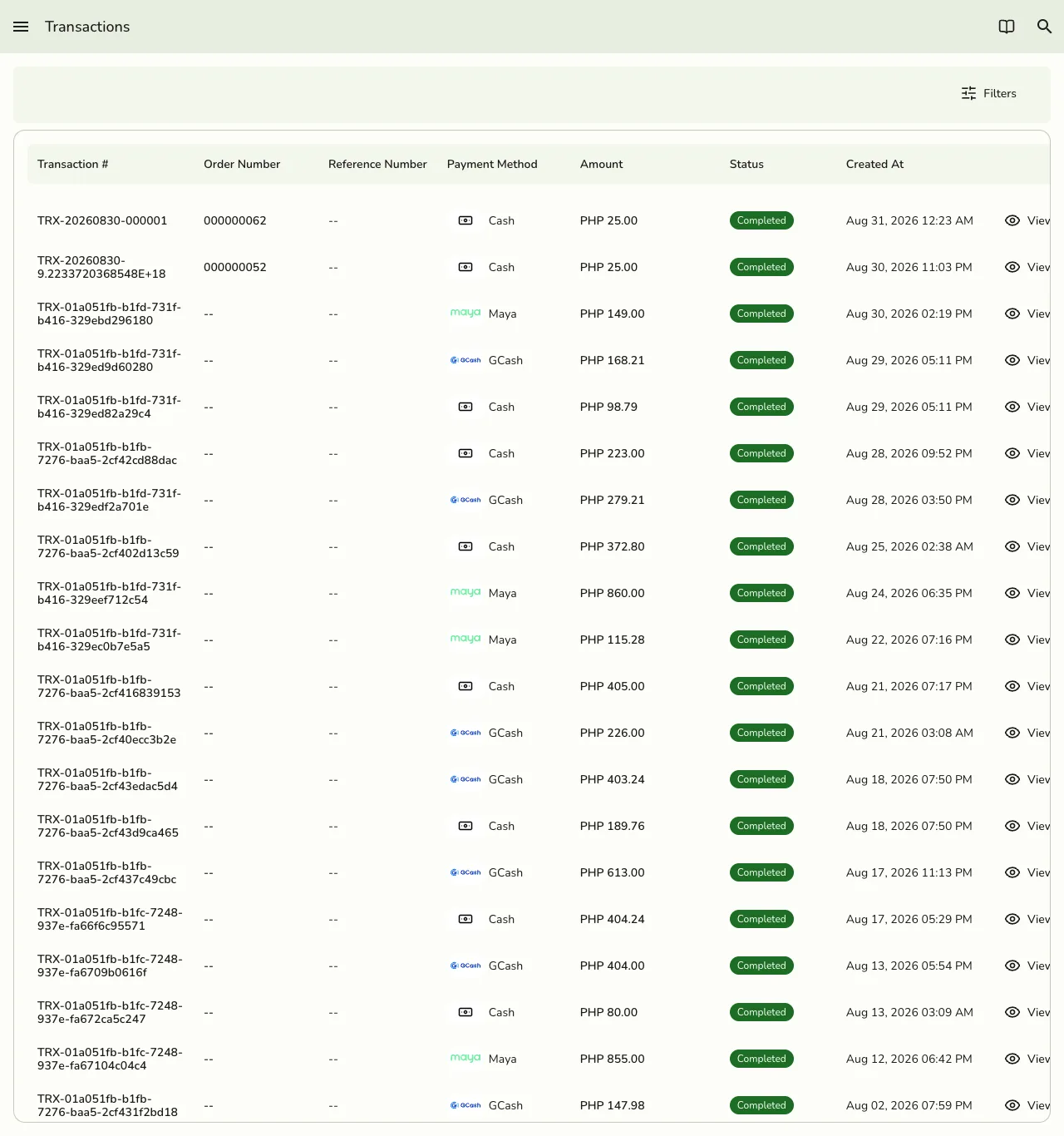
The Transaction feature tracks every payment, refund, and financial movement in your business. Whether you accept cash, process a card payment, or issue a refund, the Transactions section keeps a complete record.
What is a Transaction?
A transaction is any payment, refund, or adjustment made through your POS system. Transactions record how money moves in and out of your business. Each transaction tracks the amount, payment type, staff involved, and any related order or customer.
Real-life examples:
- Food and Beverage -- Accepting a card payment for a coffee, or giving a cash refund for a returned sandwich.
- Retail -- Processing a gift card payment for a t-shirt, or handling a split payment (part cash, part card).
- Services -- Charging for a massage session, or refunding a canceled appointment.
Why Use the Transactions Feature
- All payments in one place -- View every payment, refund, or adjustment in a single list.
- Flexible payment options -- Accept cash, card, gift cards, or split payments.
- Easy refunds -- Process refunds or adjust payments in a few clicks.
- Financial clarity -- Always know where your money is going and coming from.
- Staff accountability -- See which team member handled each transaction.
- Customer service -- Quickly answer questions about payments or refunds.
Field Explanations
Here is what each field means on a transaction:
| Field | Description | Required | Example |
|---|---|---|---|
| Transaction ID | Unique ID for the transaction | Yes | 123e4567-e89b-12d3-a456-426614174000 |
| Reference Number | Optional code for reconciling the transaction (e-wallet ref, card slip, bank reference) | No | TXN-20250710-001 |
| Order Number | The linked order number | Yes (if applicable) | 100234 |
| Payment Method | How the payment was made | Yes | Credit Card |
| Type | Payment, Refund, Adjustment, etc. | Yes | Payment |
| Amount | Total amount paid or refunded | Yes | $8.50 |
| Status | Completed, Refunded, Pending, etc. | Yes | Completed |
| Transaction Date | When the transaction was processed | Yes | 2025-07-10 14:32 |
| Staff | Team member who processed the transaction | No | John Doe |
| Notes | Special instructions or comments | No | Partial refund |
Best Practices
- Double-check transaction details before completing a payment or refund.
- Use the notes field for special cases or important information.
- Record split payments or unusual transactions clearly.
- Review transactions regularly to spot trends and improve your business.
- Use filters to find transactions quickly by date, customer, or payment method.