

Integrations & Hardware
Your Business. Your Devices. Your Way.
Fuze Store works with the payment methods, printers, scanners, and devices you already use — so you can modernize your POS without rebuilding your whole setup.
- No special hardware to buy
- Free to start
- Runs on the phone you already own
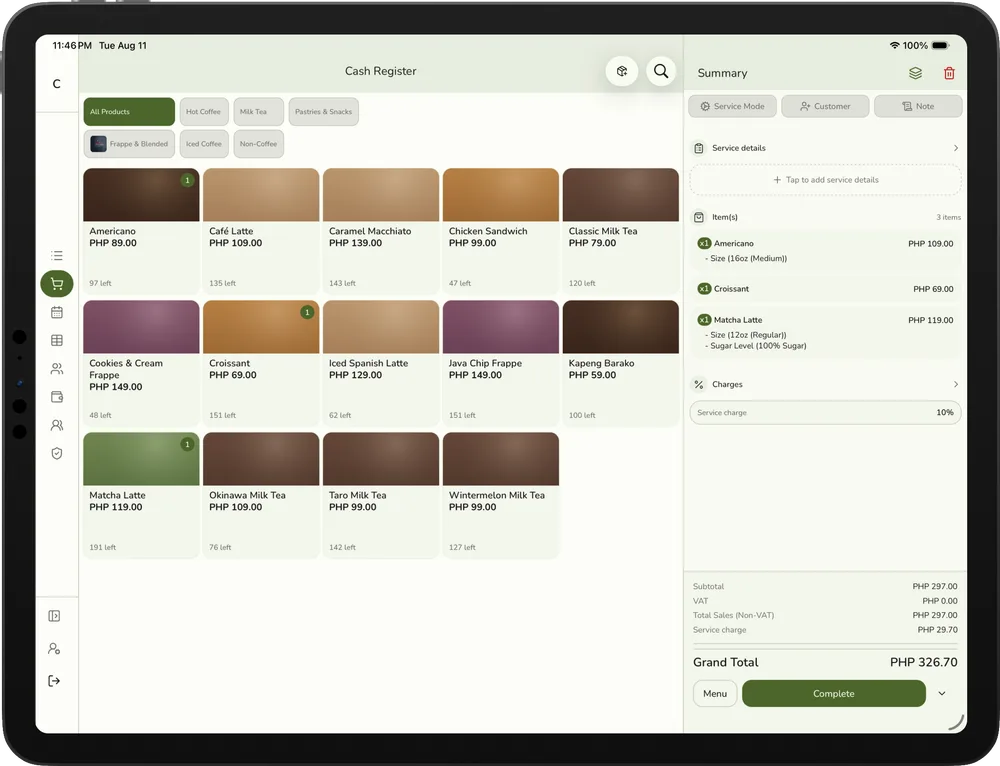
The whole picture
One POS. Your Whole Setup.
Everything at the counter plugs into one register: how customers pay, the hardware that keeps the line moving, the screens your team works on, and the tools you add later.
Payments
Give Customers More Ways to Pay
Built around how people actually pay in the Philippines: cash at the counter, an e-wallet QR by the register, a bank transfer, and a card terminal from your bank. Fuze Store records every one of them in the same checkout, so your reports are complete.
Cash
Enter what the customer hands over. Fuze Store works out the change and pops the drawer if a printer is connected.
E-wallets
Show your own e-wallet QR at checkout. When the transfer lands on your phone, record it in one tap.
Bank transfers
Same flow for a bank transfer or bank QR: your account, your confirmation, one tap to record the sale against the order.
Credit & Debit Cards
Run the card on your bank’s terminal and log it as a card payment, so card, cash, and e-wallet sales land in one report.
One checkout. Multiple payment options.
Every peso goes straight into your own accounts. Fuze Store records the payment — it never sits between you and your money, and never takes a cut.
- Iced Latte (L)₱165.00
- Ham & Cheese Croissant₱120.00
- Americano₱110.00
- Total₱395.00
Customer scans your e-wallet QR
Hardware
Keep the Hardware That Works for You
You don’t need a special POS bundle to get started. Fuze Store is built around the receipt printers, barcode scanners, and cash drawers sold in every computer shop in the Philippines.
Receipt printers
Prints receipts, kitchen tickets, and queue numbers on their own the moment an order is paid or sent.
Bluetooth straight from your phone, or USB and network printers through the free Fuze Store Hub.
Learn moreBarcode scanners
Scan a product and it lands in the cart. Scan a receipt or claim QR and the order opens for pickup.
Use a USB or Bluetooth scanner, or simply your device’s camera — no scanner required to start.
Learn moreCash drawers
Pops open the moment a cash receipt prints, so the cashier never fumbles for a key mid-queue.
Plugs into your receipt printer’s drawer port — the same drawer you already have.
Learn more- Add-on
Label printers
Prints product barcodes, order stickers for cups and bags, and numbered bag tags.
Bluetooth from your phone, or USB and network label printers through the Hub.
Learn more Bluetooth devices
Pair a Bluetooth printer or scanner directly to your phone or tablet, with nothing else to install.
The simplest setup there is — ideal for stalls, food carts, deliveries, and one-printer stores.
Learn moreNetwork printers
Put a printer on your store Wi-Fi and share it across every register and tablet at the counter.
The Hub keeps a print queue on one store computer, so a phone restart never loses a receipt.
Learn more
How it fits together
How Your POS Setup Connects
Your POS runs in the cloud, so sales, stock, and reports are always current on every screen you sign in on. Hardware that can’t pair with a phone talks to the free Fuze Store Hub over your store’s own network — print jobs never have to leave the building.
Fuze Store POS
On your phone, tablet, or browser. Orders, catalog, and reports live in the cloud.
Fuze Store Hub
A free desktop app on one computer in your store, paired to your devices with a short code.
Your hardware
Printers, scanners, cash drawers, a kitchen display, and a customer-facing screen — over your Wi-Fi.
- Printer
- Scanner
- Cash drawer
- Kitchen display
- Customer display
Bluetooth printers skip the Hub entirely — they pair straight to your phone or tablet.
Devices
Run Your POS Where Your Business Needs It
One store, every screen. The same catalog, orders, and reports follow you from the phone in your pocket to the tablet at the counter to the laptop in the back office.
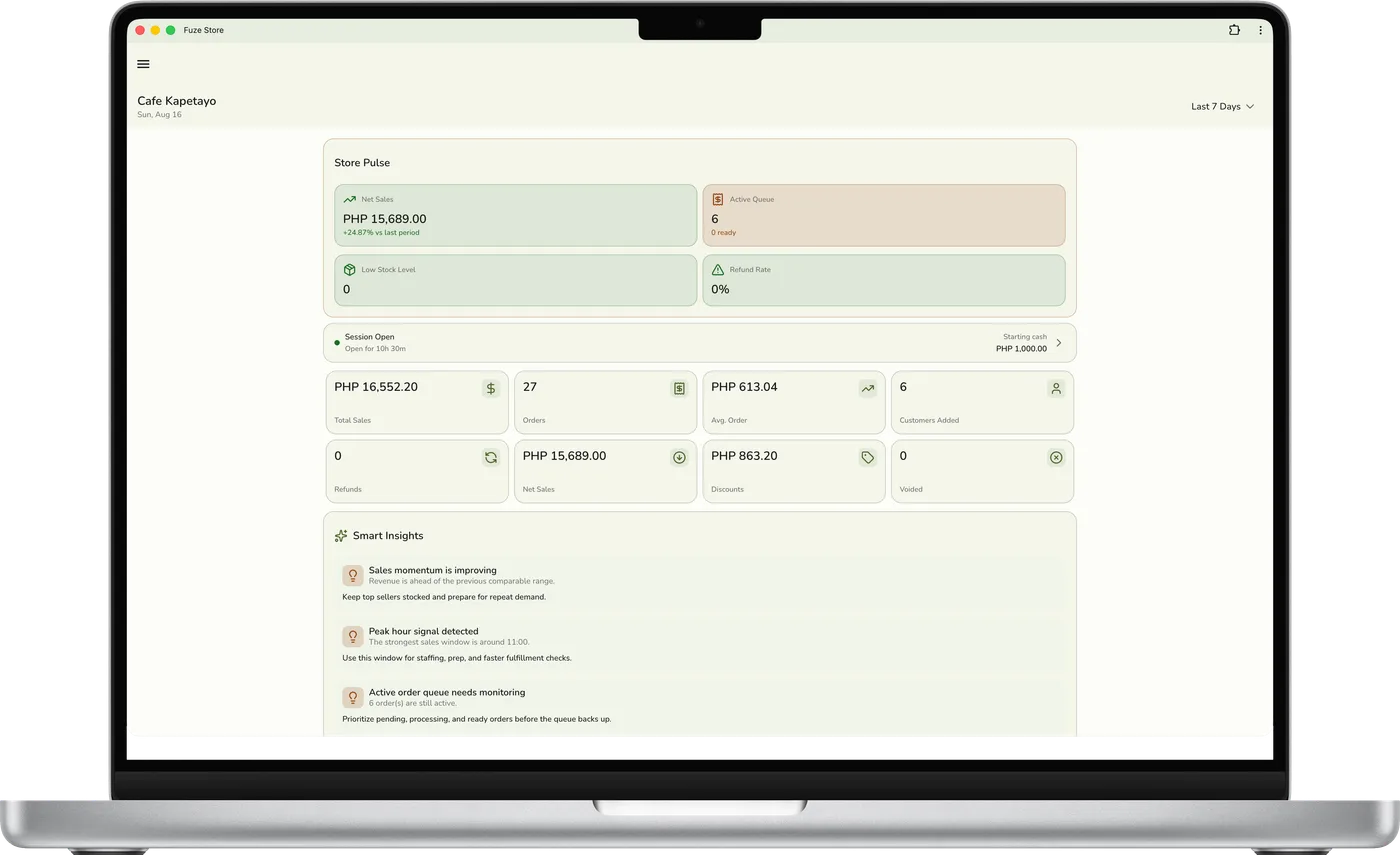
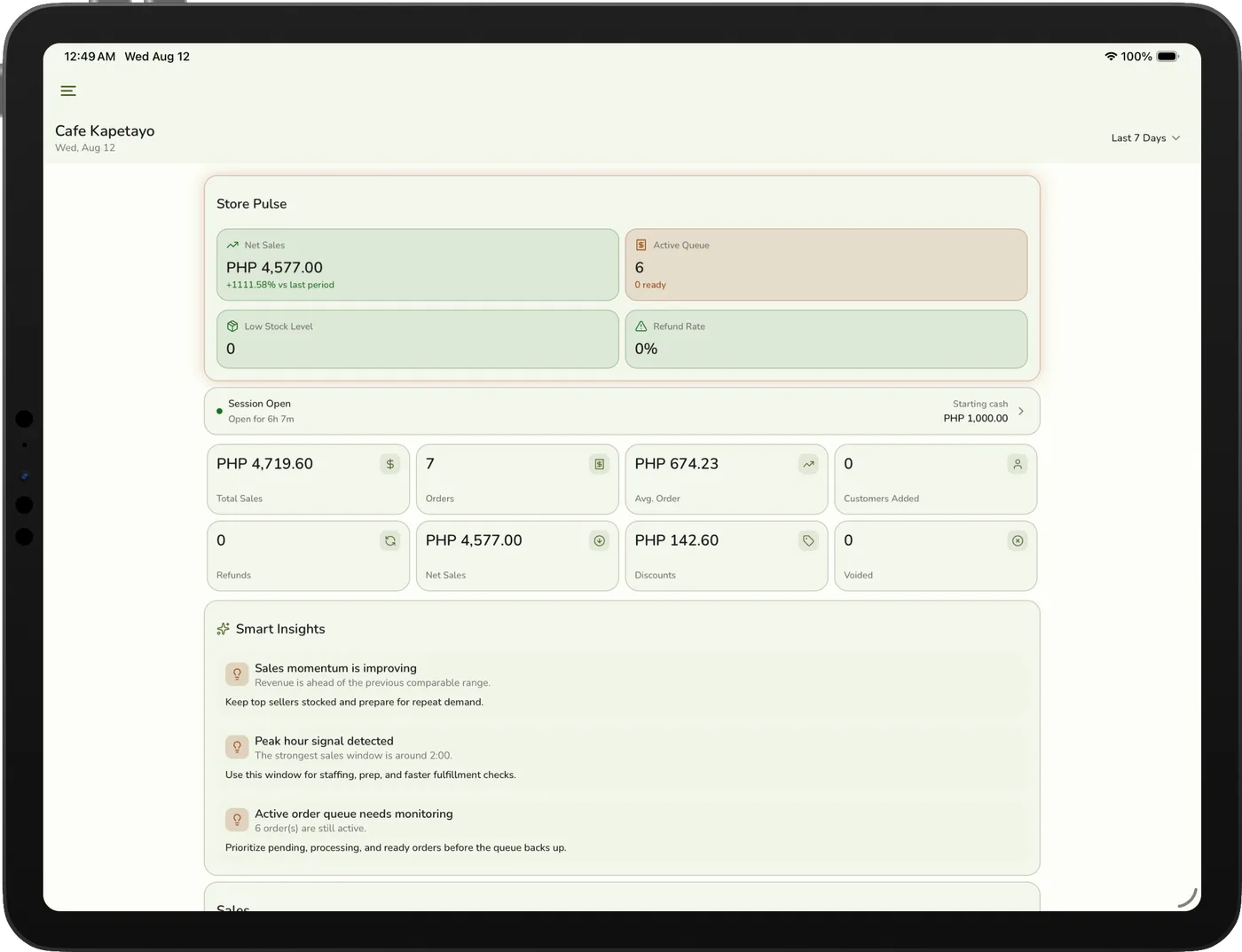
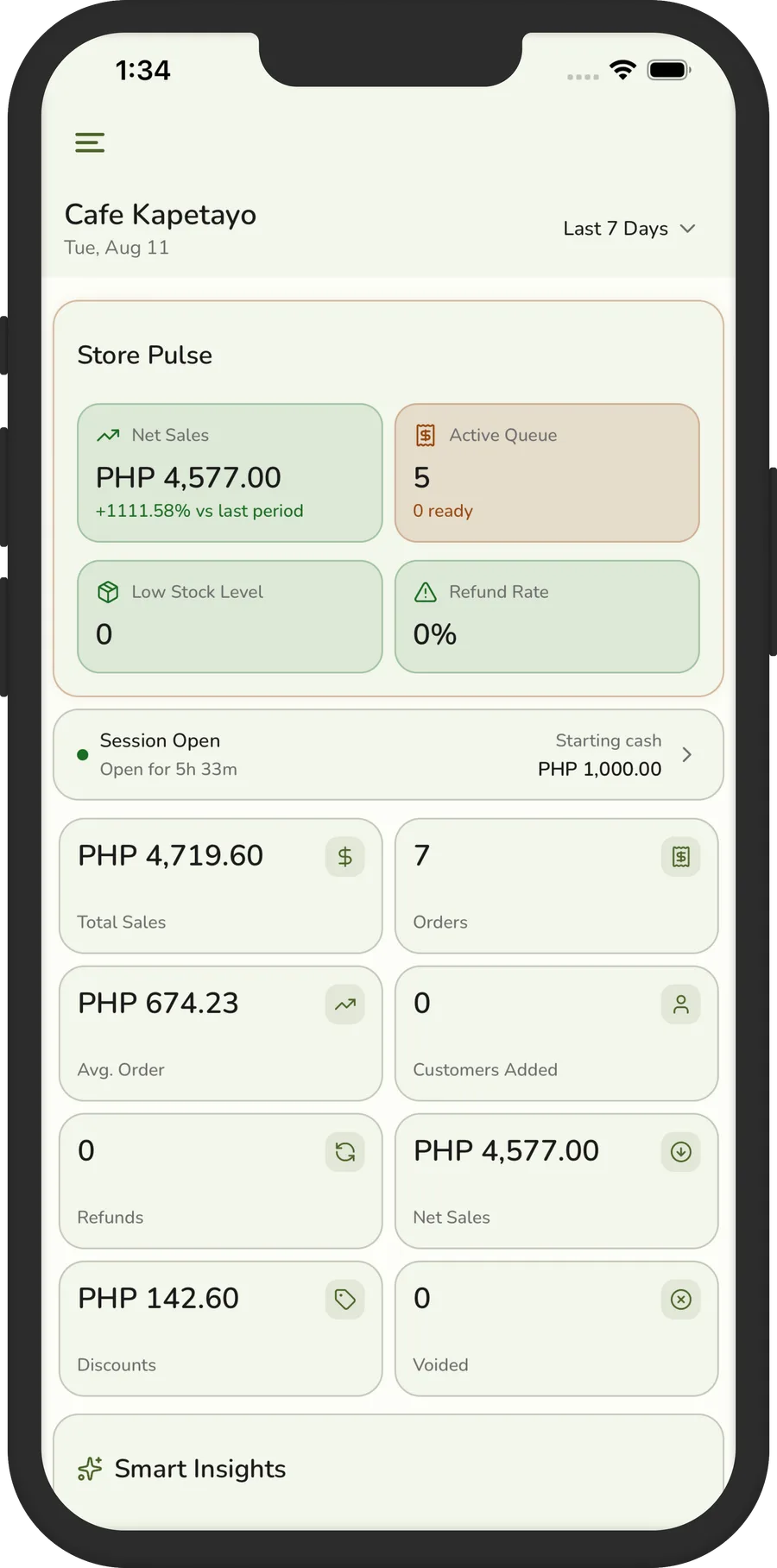
One system. Multiple screens.
iPhone & iPad
Run your POS from Apple’s mobile devices with the native app — Bluetooth printers pair directly.
Android
Use Android phones and tablets across the store — the same app, the same account, any screen size.
Web browser
Open Fuze Store in a modern desktop or laptop browser — Chrome, Safari, or Edge — for the back office or a counter PC.
Tablet POS
Turn a tablet into a full checkout station: a stand, a receipt printer, and a drawer are all it takes.
Real setups
How Businesses Like Yours Connect Their Setup
Support lists don’t tell you much. Here is what a working counter actually looks like for four kinds of business — and what each piece does.
A café with a bar and a morning rush
A tablet at the counter takes the order, the customer pays with an e-wallet QR or cash, and the drink ticket prints — or shows on a kitchen screen — at the bar.
Order → pay → ticket at the bar → name called. The sale, the stock count, and loyalty points update on their own.
See how Fuze Store works for cafés- Tablet POS
- E-wallet QR
- Receipt printer
- Cash drawer
- Kitchen displayAdd-on
Advanced
Connect Your Store to AI
Your store data doesn’t have to stay locked inside your POS. With AI Connections, the AI tools you approve can read your sales, orders, products, inventory, and reports — and answer in plain language.
You choose what each tool can see, and you can disconnect it any time. Almost everything is read-only; the few import actions preview first and wait for your approval in the chat.
AI Connections add-on · included free during your trial
Works with
- Claude
- ChatGPT
- Cursor
- VS Code
- Perplexity
- Other MCP tools
Ask things like
- How much did we sell yesterday?
- What are my best-selling products this month?
- Which products are running low?
- Compare this month’s sales with last month.
- Which day has the highest average order value?
Which products are running low?
Compatibility
Will My Setup Work With Fuze Store?
Pick what you want to connect. You’ll get a straight answer, what you need, and the guide that walks you through it.
What do you want to connect?
Most common devices are supported.
Choose a category above to see exactly what works and how to set it up.
The point of all this
Upgrade Your POS. Not Your Entire Business.
Fuze Store is designed to work with the tools you already depend on, so you can modernize your operations without starting from scratch.
Your setup today
- Your receipt printer
- Your barcode scanner
- Your cash drawer
- Your e-wallet QR
- Your phone or tablet
Your setup, connected
- Your receipt printer
- Your barcode scanner
- Your cash drawer
- Your e-wallet QR
- Your phone or tablet
For the technically curious
Technical Compatibility
The short version of what the guides cover in full. Where a device model isn’t certified, we say “most common” rather than “every”.
Questions
Integration & Hardware FAQs
Bring Your Setup. We’ll Help You Connect It.
Free during Early Release. Start with the devices and payment methods you already use, then add more as your business grows.