

Creating an Expense
You can record a new expense in just a few steps. Each entry captures the amount, category, date, and an optional description and receipt. A receipt can be a photo or a PDF document.
Step-by-Step Guide
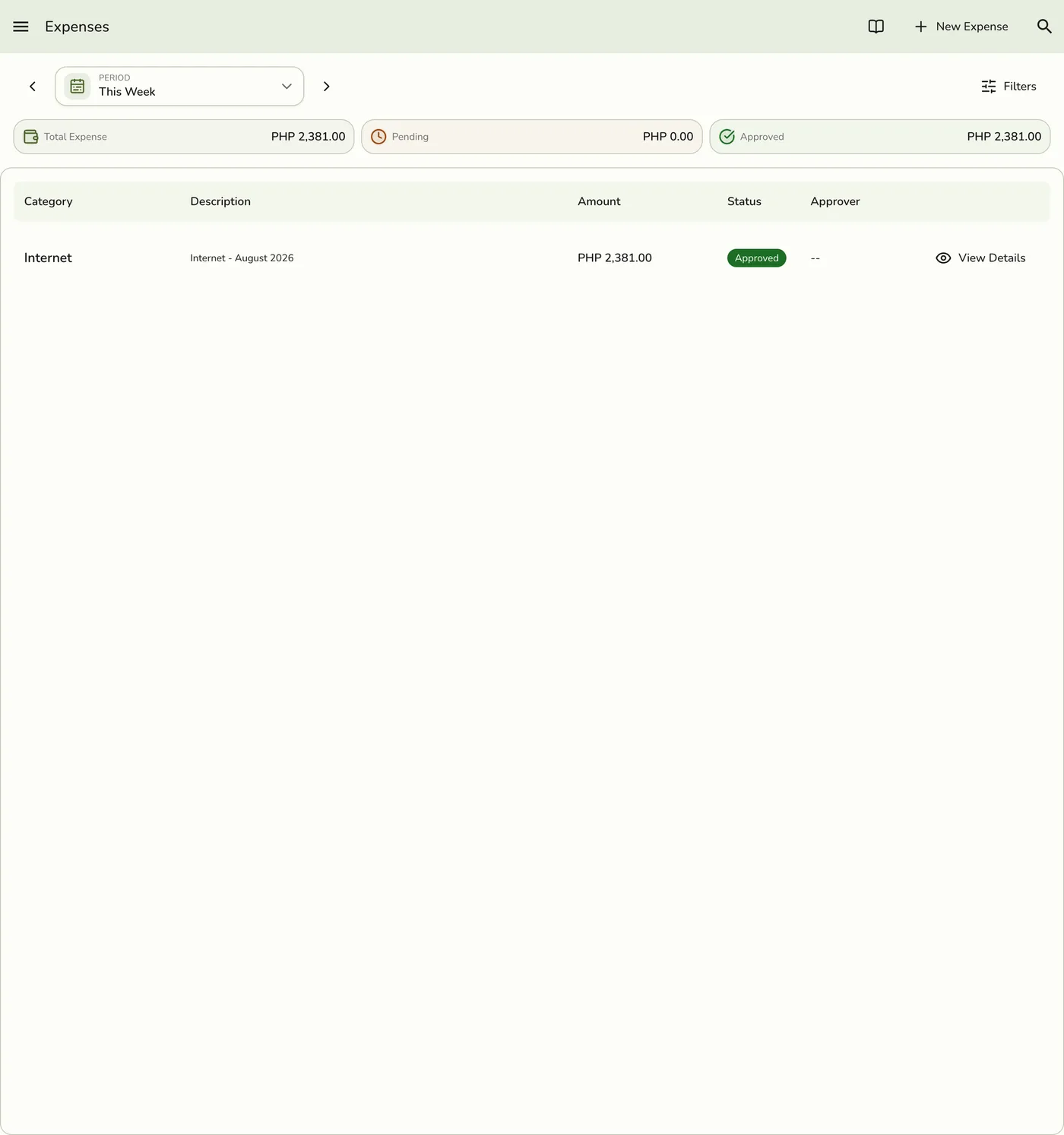
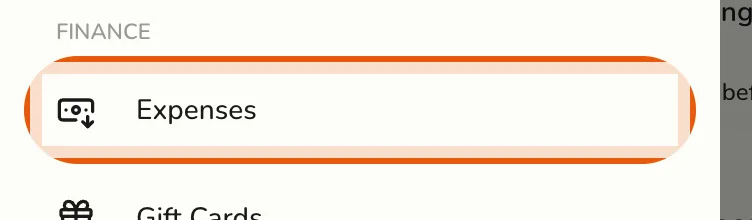
- Open the sidebar menu and go to Expenses.

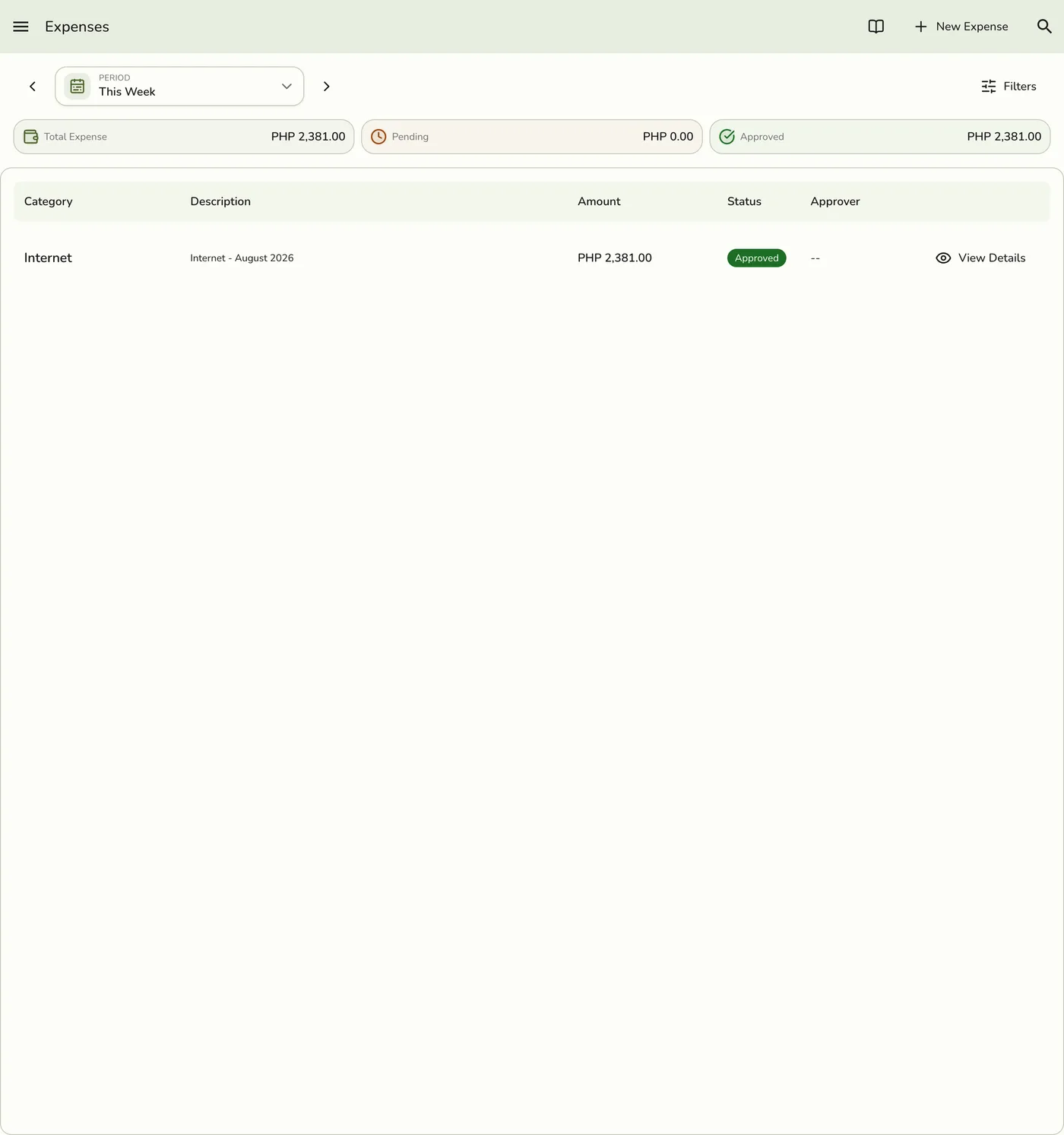
- Press the Add Expense button.
- Fill in the expense details (see fields below).
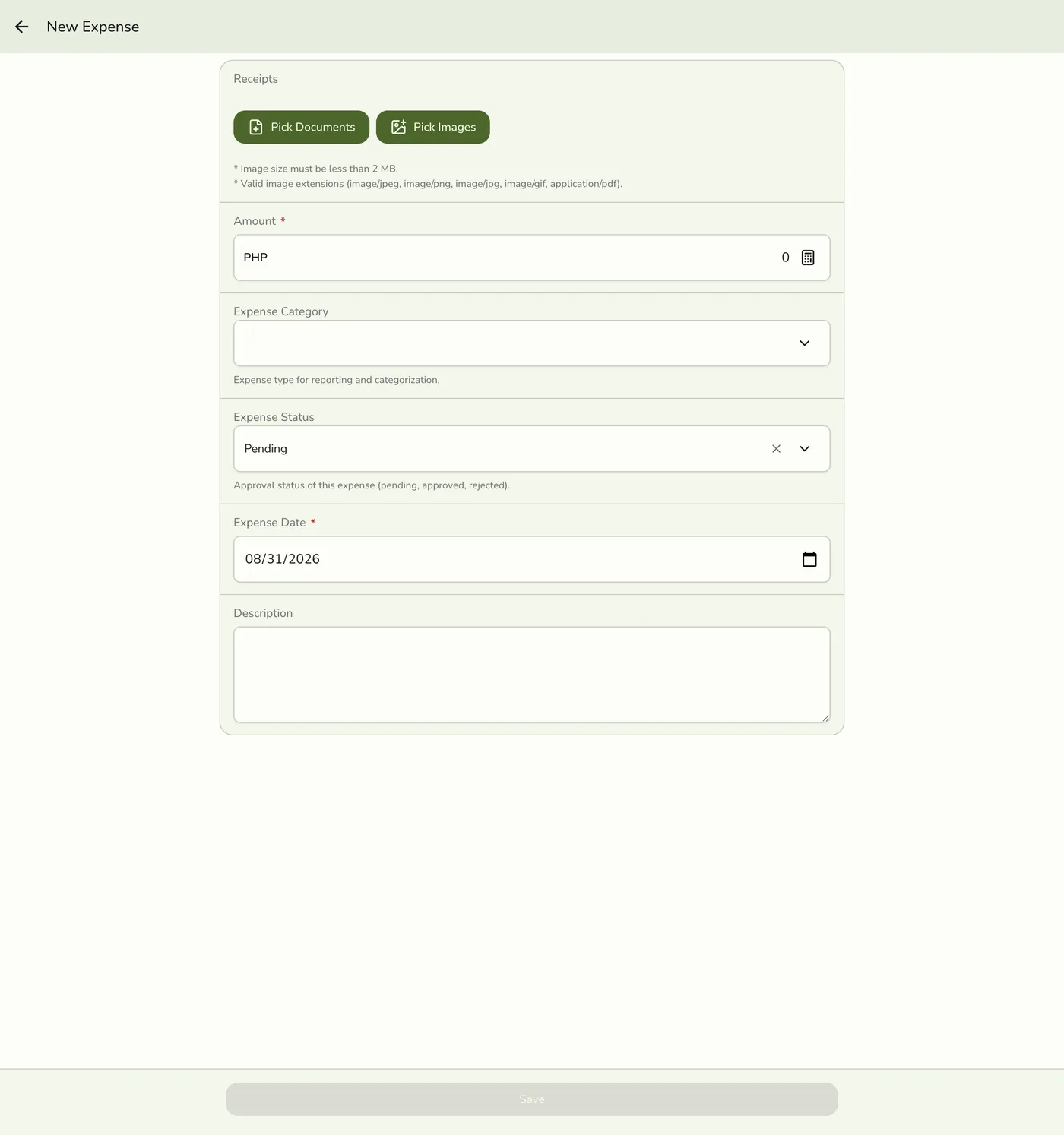
- Press Save to record the expense.
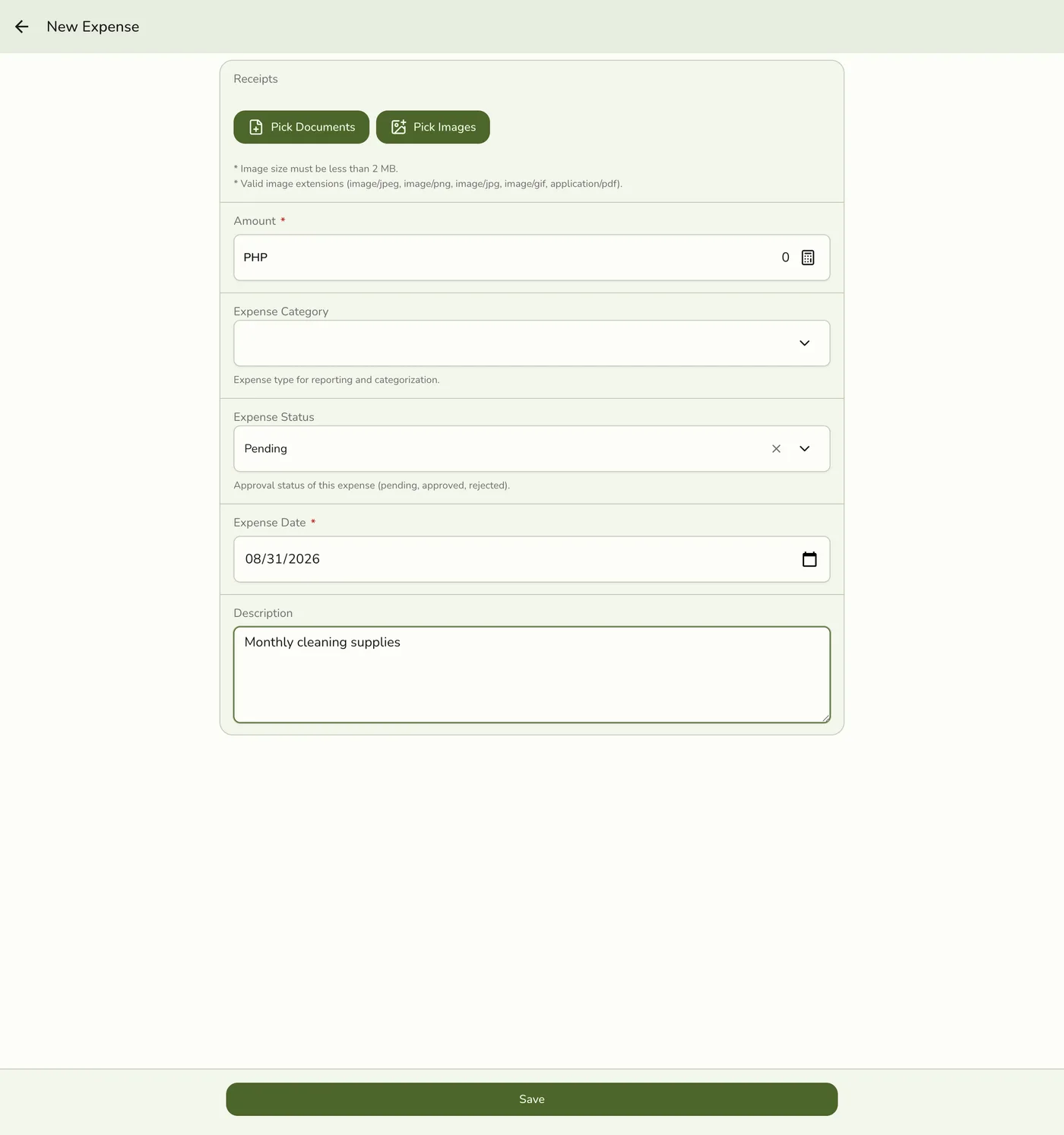
Your new expense appears in the expense list immediately.
Expense Fields
| Field | Required | Description | Example |
|---|---|---|---|
| Amount | Yes | The total cost of the expense | 1,500 |
| Category | No | The type of expense | Supplies |
| Date | Yes | When the expense occurred | 2026-03-22 |
| Description | No | A brief note about the expense | Monthly cleaning supplies |
| Receipt | No | A photo or PDF of the receipt | receipt.jpg / invoice.pdf |
Managers who can approve expenses also see a Status field on the form, letting them record an expense as already approved. Everyone else's expenses start as Pending and wait for approval.
Entering the Amount
Enter the exact amount you spent. Use the number keypad or type the value directly. The currency matches your store's configured currency.
Selecting a Category
Choose the category that best matches the expense. Categories help you organize and filter expenses later. If none of the existing categories fit, you can create a custom category under Configurations → Expense Categories.
Only active categories are offered here, so a category you have retired cannot be picked for new spending. Editing an older expense still shows the category it already carries, marked Inactive. Filtering the expense list is unaffected — you can still filter by a retired category to find past entries.
Adding a Description
The description field is optional but helpful. Use it to note what the expense was for. Keep descriptions short and specific. For example, "Paper bags for takeout orders" is more useful than "Supplies."
Attaching a Receipt
You can attach receipts for record-keeping — either a photo or a PDF document.
- Press Pick Images to choose a photo from your gallery (JPG, JPEG, PNG, or GIF), or Take Photo to capture one with your camera (phones and tablets).
- Or press Pick Documents to attach a PDF.
- Each file must be under 2 MB. The receipt saves with the expense entry.
Attaching receipts helps you keep proof of purchases. This is useful for accounting and tax purposes.
Setting the Date
The date defaults to today. You can change it to record an expense from a previous date. This is useful when logging expenses after the fact.
Tips
- Record expenses promptly. Log expenses as they happen to avoid forgetting.
- Be specific in descriptions. Clear notes save time when reviewing later.
- Always attach receipts. Digital receipts are easier to find than paper ones.
- Double-check the amount. Make sure the number matches your receipt.