

How to Cancel Your Subscription
Canceling a paid plan keeps access until the end of the current billing cycle, then moves you to the free Basic plan. You can Reactivate before that date if you change your mind.
Billing during Early Release
Plan changes and billing are paused during Early Release. Cancel Subscription may be hidden while the pause is on.
Free trial and Basic
Accounts on a free trial or already on Basic may not show the same cancel control as a paid plan. Use the on-screen options for your current status.
On the web
- Sign in and open Subscription (
/account/subscription). - Select Cancel Subscription.
- Confirm in the dialog.
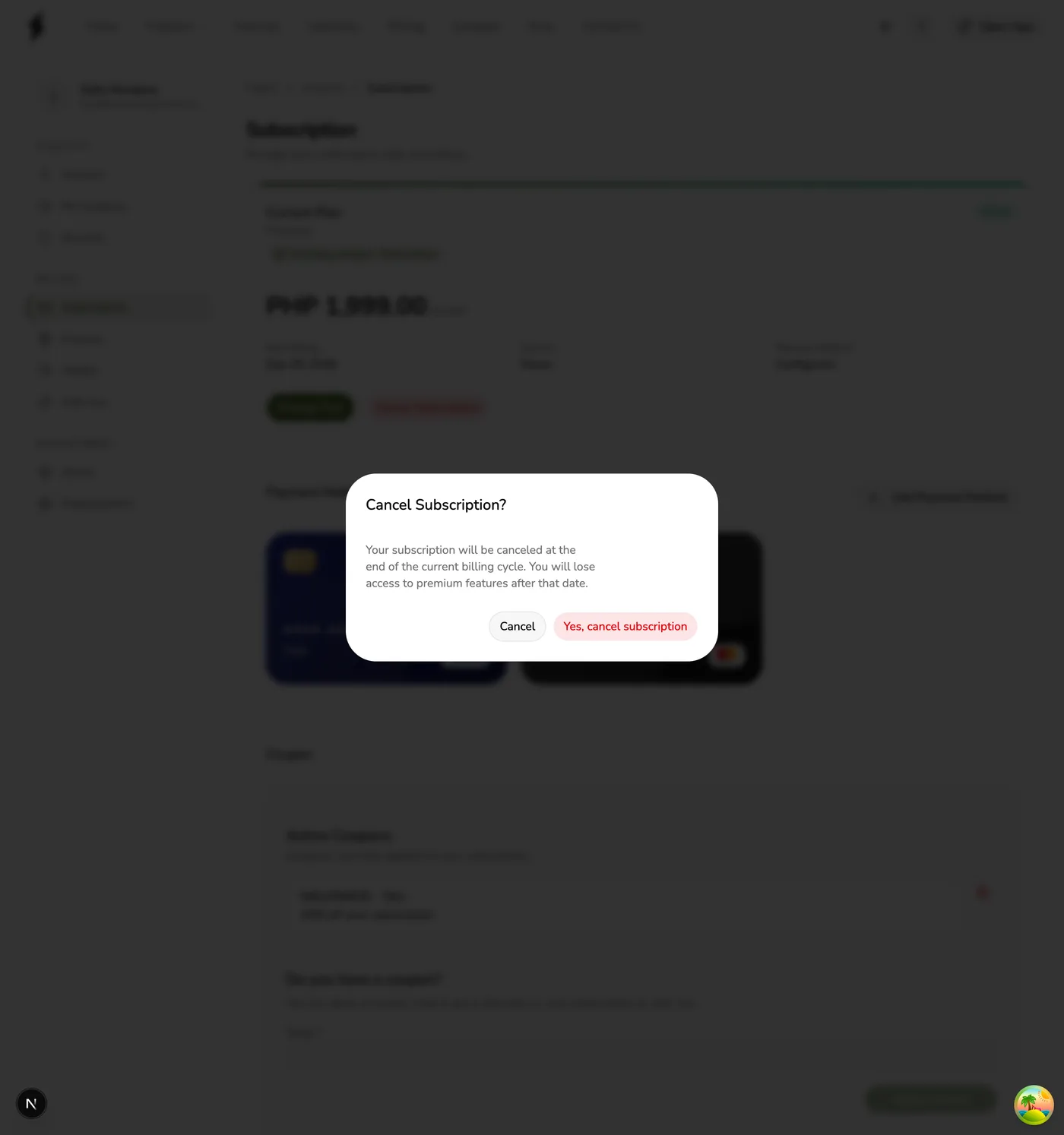
- While canceled but still in the paid period, use Reactivate if you want to stay on the paid plan.
If you have a pending plan change, you may see Cancel pending request instead (or as well) — that only removes the scheduled change; it is not the same as canceling the whole subscription.
In the app
- Open the main menu → Account → Subscription.
- Tap Cancel Subscription.
- Confirm with Yes, cancel subscription.
- Use Reactivate later if it appears before the cycle ends.
Tips
- Canceling does not delete your stores or historical data.
- Update or keep a payment method if you plan to reactivate or buy add-ons later.