

Dashboard Overview
The Dashboard is the home command center after you select a store. It summarizes performance for the period you pick without opening full Reports.
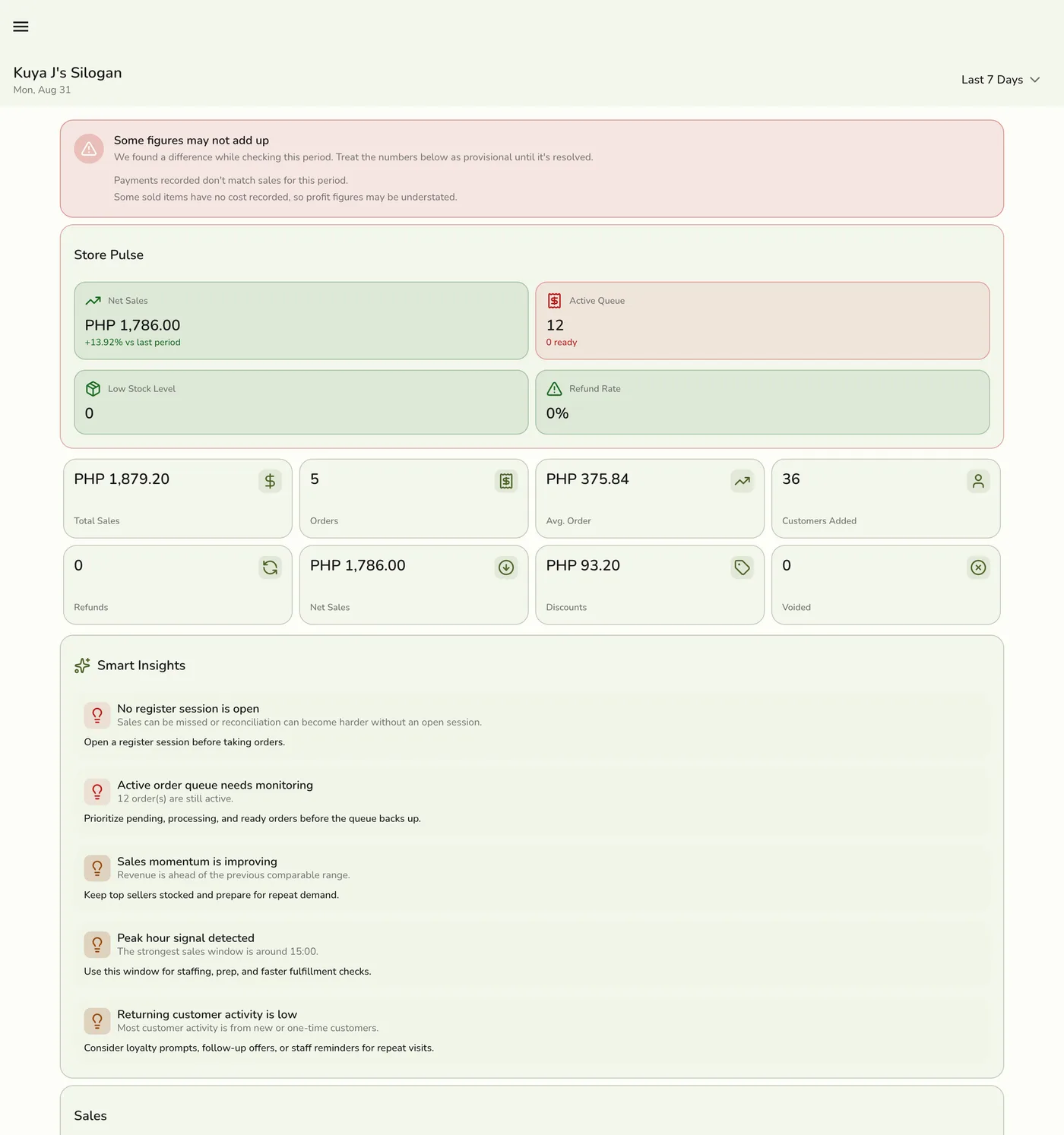
What you see
Headline KPIs
| Metric | What it tells you |
|---|---|
| Total sales | Revenue for completed / closed orders in the period. |
| Order count | Number of completed / closed orders. |
| Average order value | Sales ÷ orders. |
| Net sales | Sales after discounts and completed refunds (when refunds apply on your plan). |
| Discounts | Discount totals in the period. |
| Refunds | Refund activity when Refunds are available on your plan (not on free Basic). |
Insights and operations
Smart Insights and operational cards may highlight period-over-period changes, busy hours, recent orders, best sellers, payment mix, customer mix, low stock, open register session, or table pressure — depending on which plan features and add-ons your store has.
Examples:
- Reports deep-links need Reports on your plan (Starter+ basics; advanced analytics on higher tiers).
- Low stock signals use built-in product stock (no Inventory Management add-on). Deep links into the Inventory hub or inventory health reports need that add-on when those screens are gated.
- Register session signals need the Store Session add-on.
- Table / unit occupancy needs Units (plan-gated) and optionally Floor Plan.
Cards that do not apply stay hidden or empty rather than blocking the rest of the dashboard. Dashboard access itself is available on plans that include the dashboard feature (including typical free-trial and paid tiers).
Date range
Change the period with the dashboard filters (for example Today, This week, This month, Last 7 / 30 days, or a custom range). Week boundaries follow Monday start so “This week” matches Reports.
Comparing periods
Where comparison is offered, the UI shows whether headline metrics rose or fell versus the previous window of the same length.
Tips
- Check the dashboard at open and close of day.
- Use filters before sharing numbers with owners.
- Open Reports only when you need deeper breakdowns — and only if your plan includes Reports.
- Jump to POS from here when you need to take a sale.
Related guides
- Getting Started
- Using the POS Register
- Reports Overview (plan-gated)