

Reports Overview
Paid plan required. Reports is available on the Starter plan and up. It is not included on the free Basic plan. View plans
Open Reports from the app drawer. Period filters use store-local windows (weeks start Monday). Named periods include Today, Yesterday, This Week, Last Week, This Month, Last Month, Last 7 Days, Last 30 Days, and Custom.
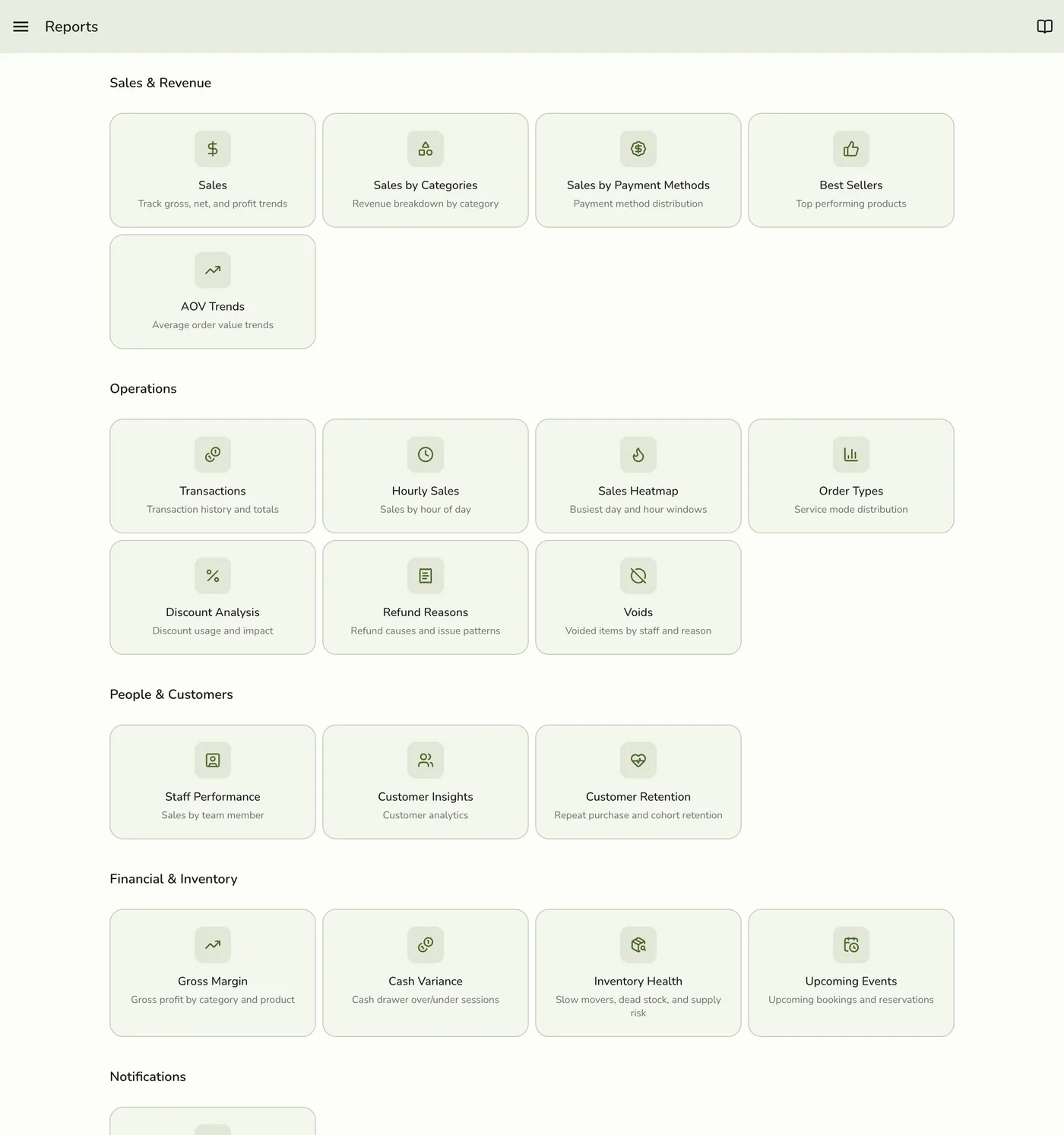
On the free Basic plan, Reports is locked. History is not deleted on downgrade — the hub simply hides again until you upgrade.
Two tiers
| Tier | Plan | What you get in the hub |
|---|---|---|
| Reports Basics | Starter and up | Sales, Sales by Payment Method, Best Sellers, AOV Trends, Transactions |
| Reports Advanced | Lite and up | Category / hourly / heatmap sales, order types, discounts, refund reasons, voids, staff performance, customers & retention, gross margin, cash variance, inventory health, upcoming events — and the Export tool (Excel). SMS Analytics also needs the SMS add-on. |
Starter stores see only Basics cards. Advanced cards and Export appear when the store has Reports Advanced (Lite+).
Basics guides
| Guide | Hub title |
|---|---|
| Sales Report | Sales |
| Sales by Payment Methods | Sales by Payment Methods |
| Item & category reports | Best Sellers (Basics) · Sales by Categories (Advanced) |
| Transaction Report | Transactions |
| AOV Trends | AOV Trends |
Advanced guides
| Guide | Hub title |
|---|---|
| Hourly Sales | Hourly Sales |
| Sales Heatmap | Sales Heatmap |
| Staff Performance | Staff Performance |
| Order Types | Order Types |
| Discount Analysis | Discounts |
| Refund Reasons | Refund Reasons |
| Voids | Voids |
| Customer Insights | Customers |
| Customer Retention | Customer Retention |
| Gross Margin | Gross Margin |
| Cash Variance | Cash Variance |
| Inventory Health | Inventory Health |
| Upcoming Events | Upcoming Events |
| SMS Analytics | SMS Analytics (also needs the SMS add-on) |
| Exporting Reports | Export |