

Linking and Unlinking Stores
You can link existing stores to an organization from the store details page. You can also unlink a store to make it standalone again. Both actions affect how the store is billed.
Linking a Store to an Organization
To link an existing store to an organization:
Open the store
Find the Organization card
Link it
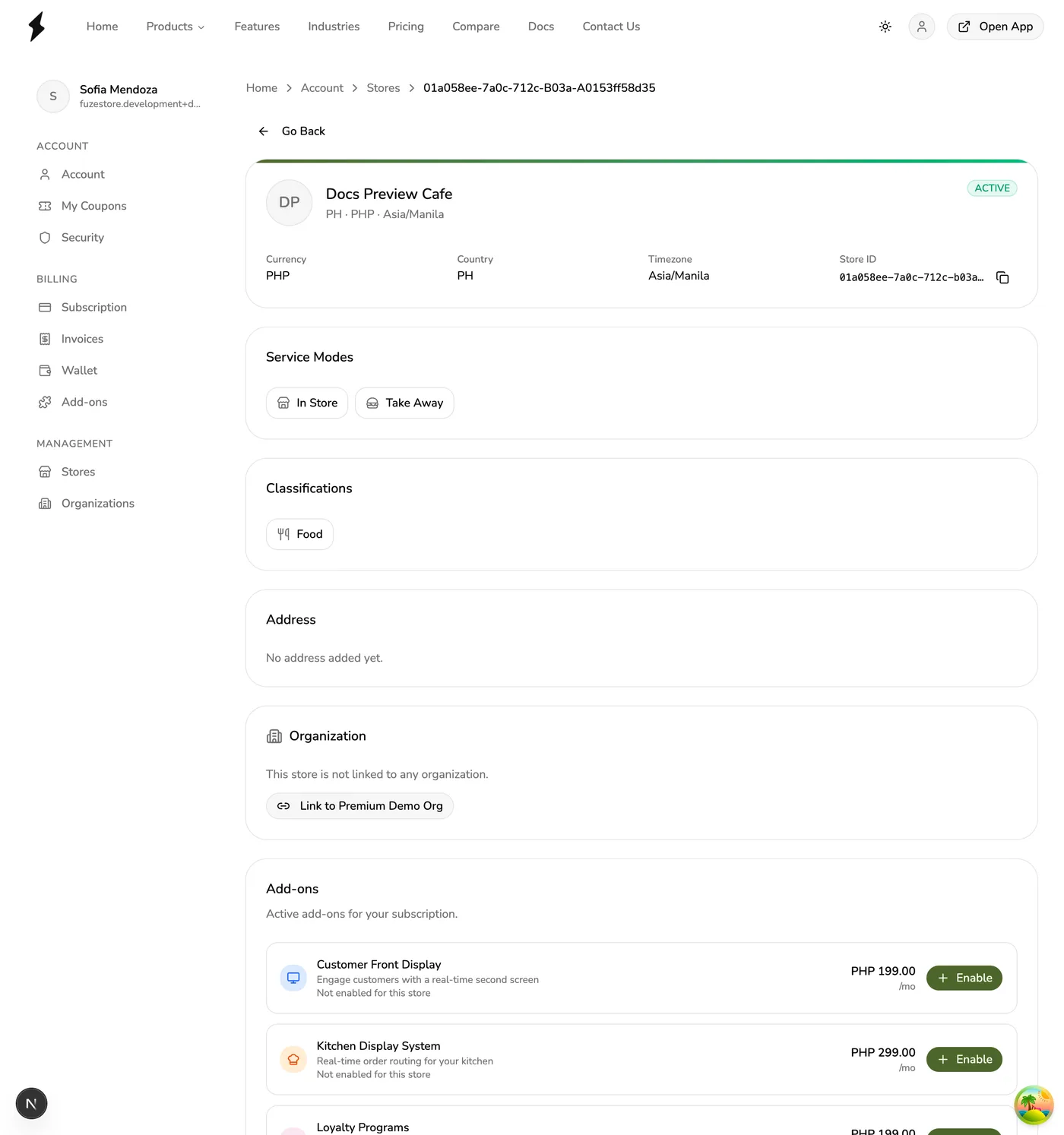
One organization per store
A store can belong to at most one organization at a time. If the store is already linked to another organization, you must unlink it first.
What Happens When You Link a Store
- The store appears in the organization's store list.
- Organization owners and admins get automatic full access to the store immediately.
- The store's billing migrates to the organization subscription at the next billing cycle.
- The store retains its own staff, roles, and permissions independently.
Billing migration timing
Billing does not move immediately. The store continues on its current billing until the next billing cycle, at which point it transitions to the organization subscription.
Unlinking a Store from an Organization
To unlink a store and make it standalone:
Open the store
Unlink it
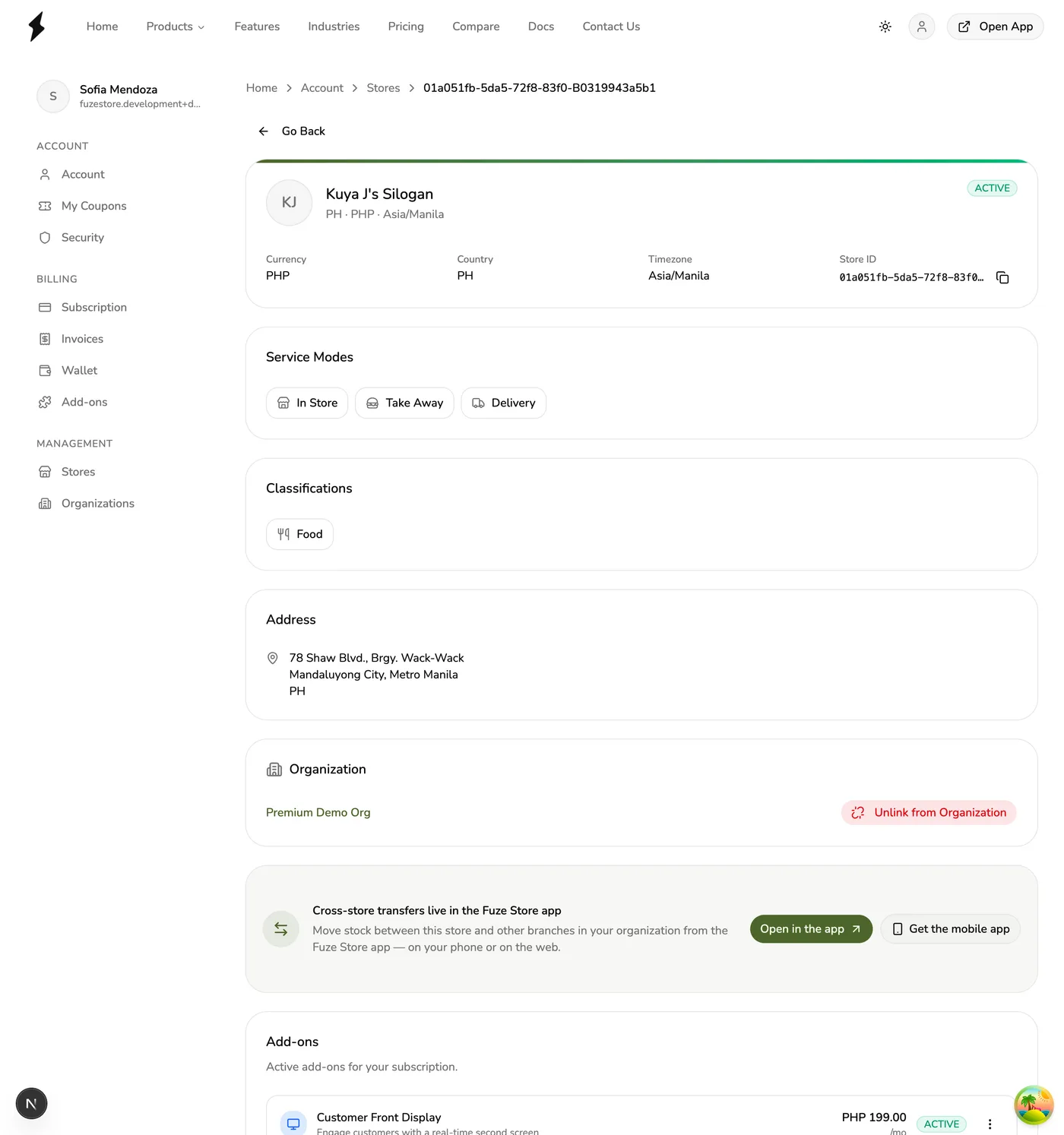
What Happens When You Unlink a Store
- The store is removed from the organization's store list.
- Organization owners and admins lose their automatic access to the store.
- The store's billing returns to your personal subscription at the next billing cycle.
- Any staff that were manually added to the store remain unaffected.
Billing returns to personal subscription
When you unlink a store, its billing migrates back to your personal subscription at the next billing cycle. Make sure your personal subscription can accommodate the additional store.
Automatic Access for Owners and Admins
When a store is linked to an organization, the organization owner and admins get automatic full access to it. They do not need to be added as staff to the store. This access is revoked immediately when the store is unlinked.
Invisible at store level
Organization owners and admins do not appear in store staff lists. Their access is resolved automatically through the organization hierarchy.