

Import Overview
Use Import to load many rows at once from a spreadsheet — categories, products, services, bookable services, modifiers, taxes, discounts, areas, roles, gift cards, or staff.
Paid plan required. Import is available on any paid plan (Starter and up). It is not included on the free Basic plan. View plans
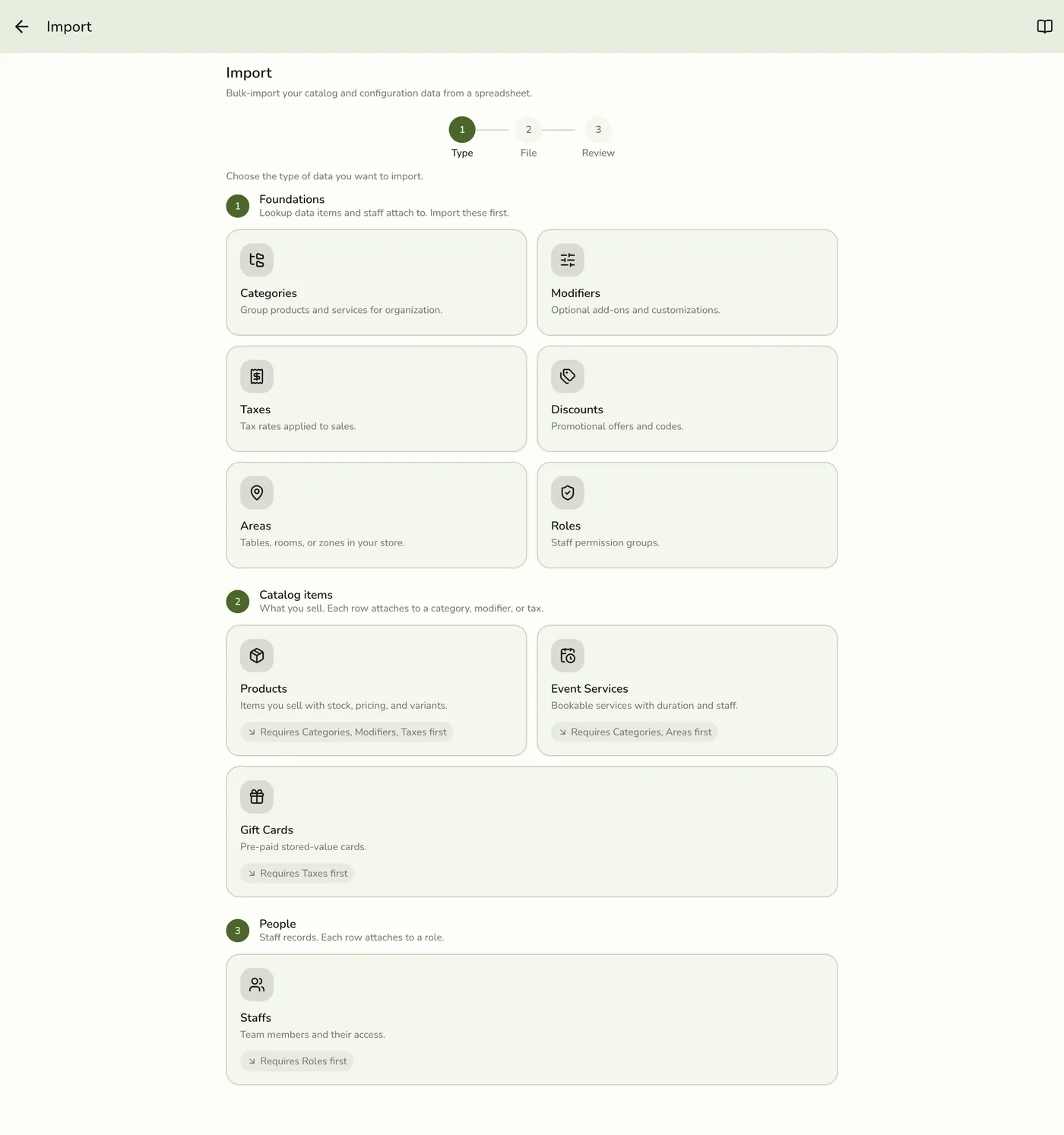
Where to open it
- Open the app drawer.
- Go to Configurations.
- Under Data Management, tap Import.
How the wizard works
- Pick a type — cards are grouped by dependency tier (foundations → items → people). Types locked by plan or add-on show a lock badge.
- Pick a file — upload CSV, XLS, or XLSX. Optionally tap Download template (your live export for that type as CSV) so column names match.
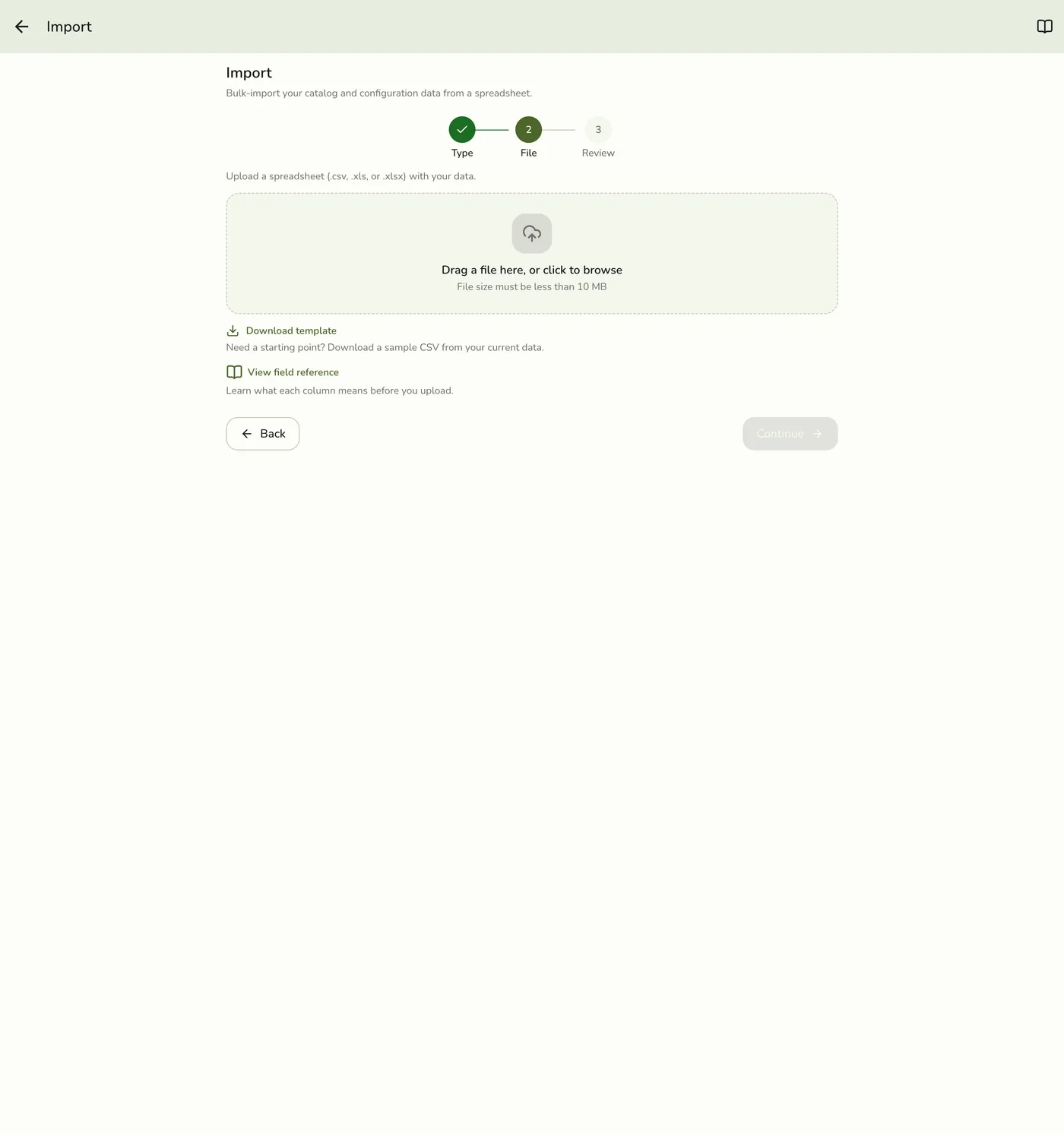
- Review — confirm the type and file, then tap Import. If any row fails validation, the problems are listed here per row and nothing is imported until you fix them.
Supported types
| Type | Notes |
|---|---|
| Categories, Products, Modifiers, Taxes, Discounts | Catalog foundations / items. Services are part of Products — a service is a catalog item, so it is created and updated on the Products file, not a separate Services import. |
| Event services | Bookable services — needs Events Advanced on your plan |
| Areas | Needs the Areas plan feature (Starter+ with an area allowance) |
| Staff | Needs the Staffs plan feature; prefer importing Roles first when using custom roles |
| Roles | Needs the Roles & Permissions add-on (or free trial grant) |
| Gift cards | Needs the Gift Cards add-on (or free trial grant) |
There is no Customers import, and no separate Product Stocks import. Opening stock for sellable products rides product rows when your template includes quantity (built-in product stock — no Inventory Management add-on). Day-to-day corrections via stock adjust, purchase-order receive, transfers, or counts need the Inventory Management add-on.
What the file must look like
- The column headers are what matter, not their order — a file whose headers match the template imports whatever order the columns sit in. Extra columns are ignored.
- YES/NO and other fixed values are not case-sensitive.
YES,yes,PERCENTAGE,percentage,kg,KG,IN_STOCKandin_stockare all accepted. - Blank cells fall back to the default noted for that column, so a file containing only the Required columns imports cleanly.
- Download template hands you your live data as CSV, so export → edit → import back is a safe round trip: it updates the rows you changed and never duplicates the rest.
Order of import
Import foundations before dependent types when starting from empty:
- Categories, Modifiers, Taxes, Areas, Roles (as needed)
- Products, Services, Event services, Gift cards
- Staff (after roles if you use custom roles)
File tips
- Prefer CSV samples from Download template so headers match the importer.
- Leave id empty to create; fill id (or matching code/SKU) to update.
- Large files may take a moment — wait for the success toast before leaving the screen.